

7 Best RFID Time Clocks

Table of Contents
Disclosure: This post is published by Cloud-in-Hand® Software Solutions and includes our own product, Stratus-io, in the comparison. We’ve aimed to be fair across every entry, based on publicly available vendor information.
An RFID time clock makes it easy for employees to clock in and out with a simple badge tap. Instead of entering a PIN or manually recording their hours, employees can use the credential they already carry. The result is a faster way to capture accurate time records and simplify payroll.
In this guide, we compare seven RFID time clocks to help you find the right fit for your organization.
Overview
- Badge compatibility matters. Not every RFID reader can read every type of badge. For example, a 125 kHz proximity reader cannot read a 13.56 MHz MIFARE card. Replacing hundreds of employee badges can quickly cost more than the time clock itself.
- Consider where employees need to clock in. Wall-mounted terminals work well at fixed locations, while mobile readers are a better option for gates, bus doors, remote worksites and crews that move throughout the day.
- Offline functionality keeps time tracking moving. A clock that can store punches without an internet connection can help prevent gaps in your payroll records when connectivity goes down.
- Look beyond the hardware price. Published hardware prices in this comparison range from $99.99 to $650.00, while most systems also charge a monthly software fee.
- Stratus-io supports a range of badge types. Stratus-io can read PROX, Corp 1000, MIFARE, iClass and Elite badges using iPhone, iPad, Android and Windows devices.
What Does an RFID Time Clock Do?
An RFID time clock gives employees a quick and simple way to clock in and out. When an employee taps their badge, the reader detects the badge’s unique ID and sends that information to the time and attendance system. The system then records the time of the punch, creating a digital record that can be used for timesheets and payroll.
But not every RFID time clock will work with every badge. One of the most important things to consider when choosing a system is whether the reader is compatible with the credentials your employees already use. A clock may have all the features you need, but if it cannot read your existing badges, you may end up replacing hundreds or even thousands of credentials.
What to Look for in an RFID Time Clock
There are several factors to consider when comparing RFID time clocks, but five stand out: badge compatibility, reader placement, offline functionality, payroll integration and total cost.
1. Badge compatibility
RFID covers multiple frequencies and badge technologies, so a 125 kHz proximity reader can’t read a 13.56 MHz MIFARE card. Confirm the reader supports the exact badge format your employees already carry.
2. Reader placement
A wall-mounted terminal suits a fixed entrance, but it falls short for employees who move between buildings, work outdoors, or travel between job sites. Consider a mobile reader if your team is spread out.
3. Offline functionality
Employees still need to clock in and out when the internet is down. Choose a system that stores punches and syncs them once the connection returns, so your time records have no gaps.
4. Payroll export and integrations
Time records only help if they reach the rest of your workflow. Choose a system that exports the data you need or connects directly with the payroll and software you already use.
5. Total cost
The price of the clock is only part of the expense, since subscriptions, extra readers, installation, and replacement badges all add up. Budget for each of these, especially if you’d need to issue new badges to hundreds of employees.
How We Chose These 7 RFID Time Clocks
To select these seven RFID time clocks, we focused on what matters most to businesses: badge compatibility, features, pricing, and limitations. We only included systems that support RFID or NFC employee clock-ins, excluding standalone readers and software without badge-based attendance tracking.
We reviewed each vendor’s product and pricing information, using published prices and identifying custom pricing when necessary. We also considered organizations’ experience using Stratus-io, including Gilbane and Drewlo Holdings.
Our goal is to help you compare your options and find an RFID time clock that fits your workforce, existing badges, and budget.
Stratus-io is a mobile check-in app and attendance software that uses RFID and NFC badge reading. It runs on iPhone, iPad, Android and Windows devices, allowing employees to clock in.
Stratus-io supports multiple badges, as well as barcode and QR code credentials.
Key Features
- RFID/NFC badge scanning, plus barcode and QR code check-in
- Compatible with iPhone, iPad, Android, and Windows
- Mobile check-in and kiosk mode
- GPS and geofencing for location-based attendance
- Offline clock-ins that sync when internet access returns
- Emergency headcounts and attendance reporting
Best For
- Large, on-site organizations with 200+ employees
- Construction, manufacturing, mining, oil and gas, and distribution companies
- Businesses already using RFID/NFC employee badges
Pricing
Custom pricing based on deployment size and hardware needs. A 30-day free trial and personalized demo are available.
Limitations
Stratus-io is designed for larger organizations and may be more than small businesses need. It requires an external reader for 125 kHz badges, lacks facial recognition, and offers custom pricing only.
uAttend is a cloud-based time and attendance system designed for small and mid-sized businesses. It offers fixed time clocks with RFID badge scanning, fingerprint recognition, facial recognition, and PIN entry. Businesses can use different clock types across multiple locations while managing employee attendance through one cloud platform.
Connecteam stands out for its broad feature set and Small Business Plan. Businesses with fewer than 10 employees can use the platform for free, while paid Operations plans add capabilities such as geofenced sites, shift templates, and ADP payroll integration.
Key Features
- RFID badge scanning, fingerprint recognition, facial recognition, and PIN entry
- Multiple time clock models managed through one cloud platform
- Cloud-based employee attendance and time tracking
- Optional payroll processing
- Unlimited CSV exports
- Lifetime customer support with cloud plans
Best For
- Small and mid-sized businesses
- Companies that need fixed, wall-mounted time clocks
- Organizations wanting both RFID and biometric clock-in options
Pricing
uAttend’s monthly cloud plans include two time clocks, one administrator and unlimited CSV exports. Additional clocks cost $12 per month, while additional administrators cost $8 per month. Plan pricing varies based on employee count, and uAttend includes lifetime support with its plans.
Limitations
uAttend's fixed terminals limit flexibility for remote or mobile workers. RFID badge compatibility should be confirmed before purchasing, and additional clock and administrator fees can increase costs as businesses grow.
Lathem PayClock is a time and attendance system that uses proximity badge readers to track employee clock-ins and clock-outs. Through its PayClock Online platform, businesses can manage attendance, employee hours, and time records. Lathem offers two main proximity clock options: the more affordable PCEXPRESS and the higher-end PCPROX. The PCPROX supports 125 kHz proximity badges and includes a 7-inch touchscreen, PIN entry, and an optional camera for facial recognition. The system also supports offline time tracking, making it useful for workplaces with unreliable internet connections.
Key Features
- 125 kHz proximity badge scanning
- 7-inch touchscreen and PIN entry on the PCPROX
- Optional camera for facial recognition
- Automatic offline mode during internet outages
- Stored attendance records that sync when connectivity returns
- Optional UPS battery backup during power outages
Best For
- Businesses using 125 kHz proximity employee badges
- Organizations that need fixed, on-site time clocks
- Workplaces with unreliable internet or occasional power outages
Pricing
Lathem publishes its hardware pricing, with the PCEXPRESS listed at $400 and the PCPROX at $650. A PCEXPRESS upgrade is also available for $300. PayClock Online subscription pricing is not publicly listed on the reviewed product pages, so businesses must contact Lathem for software costs. Two PCPROX clocks would cost $1,300 before subscription and installation expenses.
Limitations
Lathem's PCPROX only supports 125 kHz badges, requiring businesses using MIFARE or iClass to replace existing credentials. Its higher hardware cost and fixed-terminal design also limit affordability and flexibility for remote or multi-site teams.
TimeMoto is a time and attendance system designed for small and mid-sized businesses. Its TM-616 RFID time clock allows employees to clock in and out using TimeMoto RFID badges, key fobs, or PIN entry. The terminal supports up to 200 employees and stores up to 10,000 time records. It connects through Wi-Fi, Ethernet, or USB and includes automatic data backup to protect attendance records during network interruptions.
Key Features
- RFID badge and key fob scanning with PIN entry
- Supports up to 200 employees
- Stores up to 10,000 time logs
- Wi-Fi, Ethernet, and USB connectivity
- Automatic data backup during network interruptions
- Cloud-based attendance management software
Best For
- Small and mid-sized businesses with fewer than 200 employees
- Companies needing a fixed RFID time clock
- Organizations without an existing employee badge system
Pricing
TimeMoto lists the TM-616 at £299.00 excluding VAT or £358.80 including VAT. Additional cloud software subscription plans are available through the company's pricing page. North American businesses should confirm local hardware pricing, availability, and support before purchasing.
Limitations
TimeMoto's TM-616 may require new RFID badges and is limited to 200 users. Its fixed-terminal design restricts mobility, while pricing in GBP makes costs less clear for North American businesses.
Wasp Barcode RF250 is an RFID time clock designed for businesses using Wasp’s time and attendance software. Employees can clock in and out using RFID badges, while managers track attendance through compatible platforms such as PreciseTime. The RF250 features a 2.8-inch color display and connects through Ethernet. Wasp also offers barcode, HID, and biometric time clocks, allowing businesses to use different clock types within the same software ecosystem.
Key Features
- RFID badge scanning for employee clock-ins and clock-outs
- 2.8-inch color display
- Ethernet connectivity for wired network access
- Integration with PreciseTime and other Wasp attendance software
- Includes mounting hardware and an AC power adapter
- Compatible with Wasp's broader time and attendance ecosystem
Best For
- Businesses already using Wasp time and attendance software
- Organizations looking to expand an existing Wasp deployment
- Workplaces with reliable wired Ethernet connections
Pricing
Wasp lists the RF250 at $599.00 MSRP, including mounting hardware and an AC power adapter. Additional software costs may apply depending on the organization's existing Wasp time and attendance system.
Limitations
The RF250 requires Ethernet, limiting installation flexibility and mobile use. Older RF200 badges may need compatibility checks, while its $599 hardware cost and reliance on Wasp software make it less suitable for businesses seeking affordable, flexible solutions.
Acroprint CloudPunch CP200 is a cloud-based time and attendance system designed for small businesses. The CP200 time clock allows employees to clock in and out using RFID badges, fingerprint scanning, or PIN entry. It connects through Wi-Fi or LAN and supports offline clocking, storing employee punches when the internet is unavailable and syncing them once connectivity returns. Acroprint also offers additional time clock options, including the ProPunch network clock and BioTouch fingerprint clock.
Key Features
- RFID badge scanning, fingerprint recognition, and PIN entry
- Multiple clock-in methods on one device
- Wi-Fi and LAN connectivity
- Offline time tracking with automatic syncing
- Cloud-based employee attendance management
- Multiple hardware options for different business needs
Best For
- Small businesses looking for affordable time clocks
- Organizations wanting RFID, fingerprint, and PIN clock-in options
- Companies needing reliable offline attendance tracking
Pricing
Acroprint lists the CloudPunch CP200 at $199.99. The company also offers the ProPunch network clock for $199.99 and the BioTouch fingerprint clock for $99.99. CloudPunch offers subscription plans based on business size, with its starting tier supporting up to five employees. Additional subscription costs depend on the selected plan and workforce size.
Limitations
Acroprint CP200's RFID badge compatibility is unclear, so businesses should verify supported formats. Its fixed-terminal design limits mobility, while CloudPunch plans are better suited for smaller teams than large organizations.
Jibble is a cloud-based time and attendance platform that allows businesses to turn existing tablets or mobile devices into shared employee check-in kiosks. Jibble lets employees clock in and out using NFC credentials or PIN entry. The platform includes employee time tracking, timesheets, offline attendance recording, and integrations with tools such as Slack, Microsoft Teams, and QuickBooks. Its free plan supports unlimited users, making it an affordable option for businesses looking to implement NFC-based attendance tracking.
Key Features
- NFC badge scanning and PIN-based clock-ins
- Tablet and mobile device kiosk functionality
- Free time tracking for unlimited users
- Offline attendance recording with automatic syncing
- Employee timesheets and attendance management
- Integrations with Slack, Microsoft Teams, and QuickBooks
Best For
- Small businesses looking for free or low-cost attendance tracking
- Organizations with existing tablets or mobile devices
- Companies using compatible NFC employee badges
Pricing
Jibble offers a free plan with unlimited users that includes time tracking, timesheets, offline mode, kiosk access, and integrations. Businesses can use existing devices, eliminating the need to purchase dedicated time clock hardware. Paid subscription plans are available with additional features, and pricing varies depending on the selected plan.
Limitations
Jibble does not support 125 kHz proximity badges, potentially requiring businesses to replace existing credentials. It also lacks dedicated RFID hardware and emergency mustering features, limiting its suitability for organizations needing broader badge compatibility or emergency headcounts.
How to Choose an RFID Time Clock
Start with the credential question. It narrows the shortlist quickly.
If your workers already carry proximity or smart cards, badge-based check-in can build on the system you already have. You do not need to introduce a second identity method or enroll employees in a new biometric system.
If your site does not use employee credentials and does not want to issue them, face-based check-in makes more sense. Deputy, Jibble, and Buddy Punch all offer facial recognition at published prices, while NoahFace remains a strong option for organizations that want an iPad-based facial recognition time clock.
Pro tip: count your gates before you count your users
Pricing models can look very different once you apply them to your actual site. Per-user pricing, per-device pricing, and per-location pricing can produce very different totals depending on how many employees and entrances you have.
A 900-person plant with six entrances should compare the cost of six clocking points against a per-user subscription before choosing a vendor. Build both models in a spreadsheet before your first vendor call.
Then ask what happens when the alarm sounds.
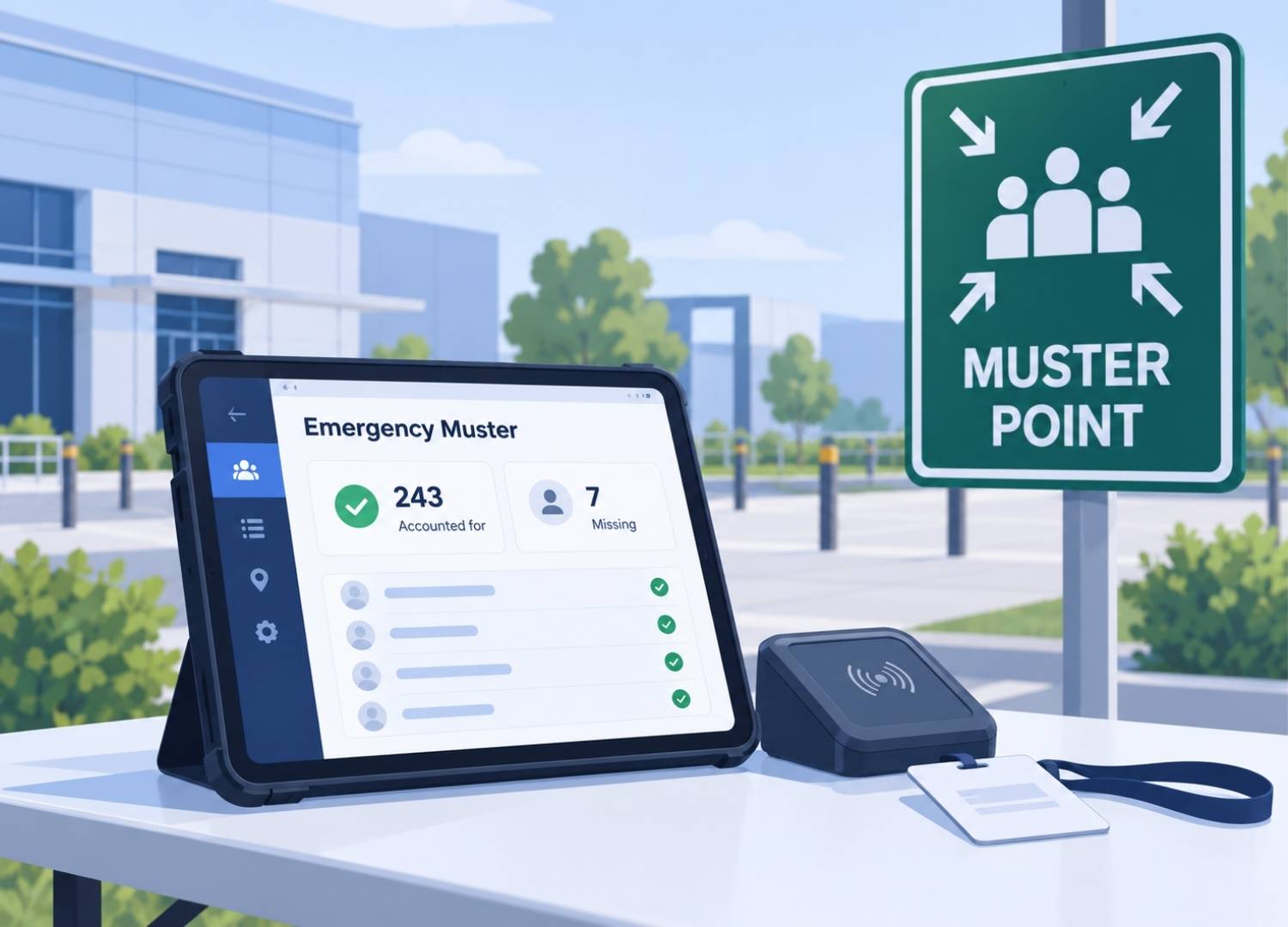
A time clock answers one question: who clocked in? An emergency accountability system needs to answer another: who is accounted for right now?
A printed roster and clipboard can support an evacuation procedure, but they do not provide the same live visibility as a system that records check-ins and can be used at the muster point.
For larger sites with OSHA emergency action plan requirements, that distinction becomes more important. If you need badge-based attendance, flexible devices, and emergency headcount in the same system, Stratus-io is built for that workflow.
For a smaller hourly team that mainly needs to prevent buddy punching and track payroll, a free or low-cost face clock such as Jibble may be the better fit.
The right NoahFace alternative depends less on which product has the longest feature list and more on how your site actually handles identity, entrances, attendance, and emergencies.

Cloud-in-Hand® Solutions Team
This blog reflects the expertise of the Cloud-in-Hand® Solutions Team, with over 100 years of combined experience in hardware, software, and firmware development. Since founding Solutions Consulting in 1992 — now known as Serialio LTD — the Solutions Team has designed and developed many innovative solutions. Cloud-in-Hand® Stratus-io Time and Attendance helps organizations like Apple, Google, Toshiba, LinkedIn, Salesforce, and many more.
Cloud-In-Hand® Solution Team
This blog reflects the expertise of the Cloud-in-Hand® Solutions Team, with over 100 years of combined experience in hardware, software, and firmware development. Since founding Solutions Consulting in 1992 — now known as Serialio LTD — the Solutions Team has designed and developed many innovative solutions. Cloud-in-Hand® Stratus-io Time and Attendance helps organizations like Apple, Google, Toshiba, LinkedIn, Salesforce, and many more.
Frequently Asked Questions
What is an RFID time clock?
An RFID time clock allows employees to clock in and out by scanning an RFID badge or key fob. It records attendance automatically, reducing manual time entry.
Can RFID time clocks work without internet?
Yes, some RFID time clocks, including Stratus-io, Lathem PayClock, and Acroprint CloudPunch, support offline tracking. They store employee punches and sync records when connectivity returns.
Can I use my existing employee badges with an RFID time clock?
It depends on the system’s supported badge formats. Stratus-io supports multiple credentials, including PROX, MIFARE, and iClass, while other systems may require compatible or proprietary badges.
How much does an RFID time clock cost?
Hardware prices vary, with options like Acroprint CloudPunch starting at $199.99 and Lathem PCPROX costing $650. Additional software subscriptions, readers, and installation costs may apply.
Learn About Stratus-io
October 19, 2026
October 3, 2026